
Searching All Tackle Shops
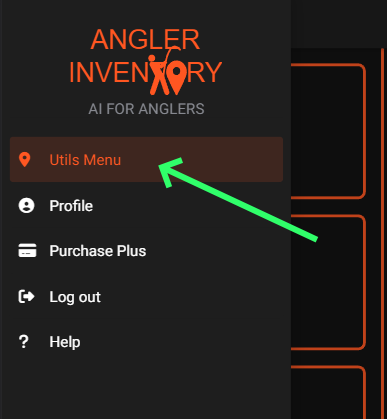
To searchbegin searching for all tackle shops, startfirst bymake ensuringsure that you are in the Utils Menu.Menu.
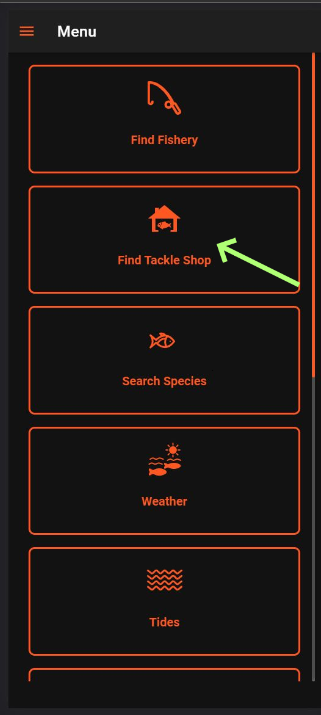
AfterNext, this, tapclick on the "Find Tackle Shop" button showndepicted below.
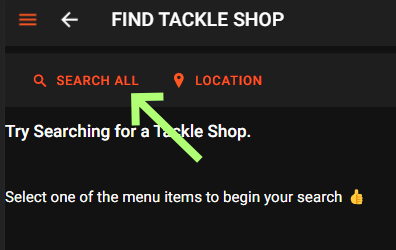
After tapping on this, you will be presented with two options: "Search All"All" and "Location.Location." Please choose "Search All,All," as indicated below.
After choosing "Search All,All," you will see a list of available regions to choose from. Alternatively, you can enter the name of the regionregion, county, town or countypostcode area you are looking for in the "Search" bar.
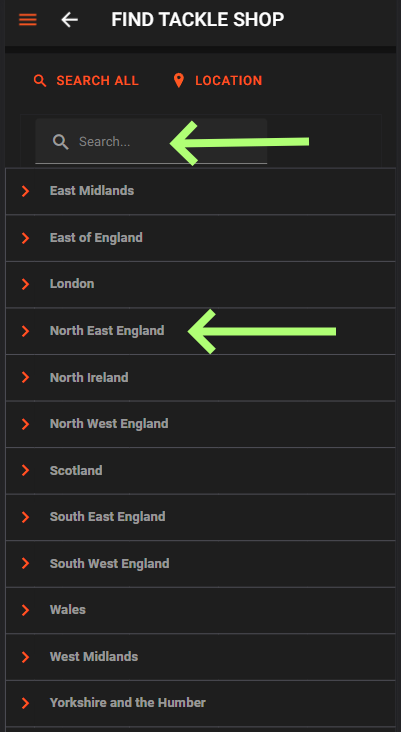
Once you tap on a region such as "North East England,England," a list of counties will appear below it, allowing you to choose the appropriate one.
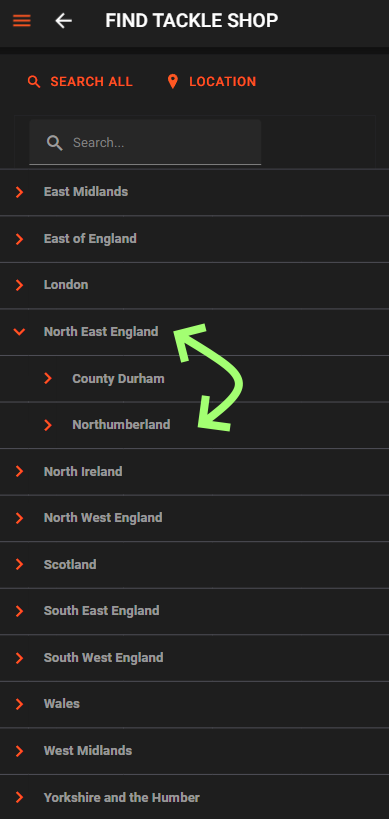
When you select a county of your choice, a list of Tackle Shops located in that county will be displayed, as illustrated in the following example.
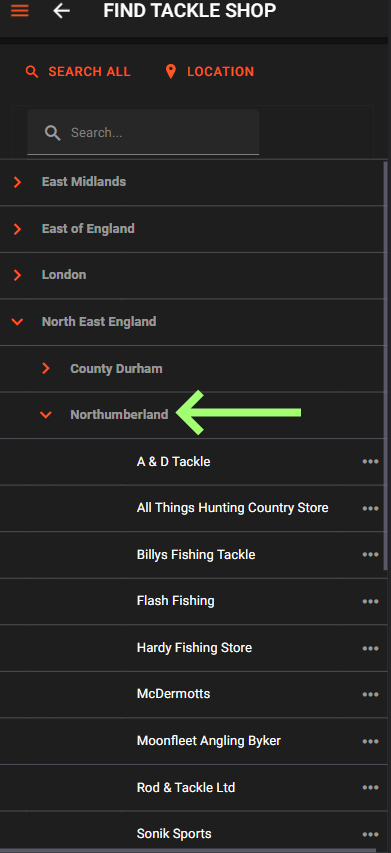
Once you have selected your preferred tackle shop, tapping on it will redirect you to its page.